Implementation
Now that the initial environment and UI shell are prepared, let's implement each of the application features step-by-step.
Implementing Todos
Adding a Todos model
We'll define the Prisma schema for Todos in lib/prisma/models/todos.prisma
model Todos {
  id        String    @id @default(uuid())
  text      String
  createdAt DateTime  @default(now())
  updatedAt DateTime  @updatedAt
}
Migrate the database
Generate and run the migration to create the table with:
npm run db:migrate -- --name add-todosAdd Todo list components
Now that your database is ready, let's bring the Todos feature to life in the UI. We'll build a small, self-contained set of React components that display existing todos and let users add new ones.
"use server";

import prisma from "@/lib/prisma/prisma";
import { revalidatePath } from "next/cache";

export type AddTodoState = {
	input: string;
	error?: string;
};

export async function addTodo(
	_: unknown,
	formData: FormData,
): Promise<AddTodoState> {
	const text = formData.get("todo") as string | undefined;

	if (text?.trim()) {
		await prisma.todos.create({
			data: { text, id: formData.get("optimisticId")?.toString() ?? undefined },
		});
		revalidatePath("/");
		return { input: "", error: undefined };
	}

	return {
		error: "Todo cannot be empty",
		input: text ?? "",
	};
}

export type DeleteTodoState = {
	error?: string;
	success?: boolean;
};

export async function deleteTodo(formData: FormData): Promise<DeleteTodoState> {
	const todoId = formData.get("todoId") as string | undefined;

	if (todoId) {
		try {
			await prisma.todos.delete({ where: { id: todoId } });
			revalidatePath("/");
			return { success: true };
		} catch {
			return { success: false, error: "Could not delete todo" };
		}
	}
	return { success: false, error: "Could not delete todo" };
}"use client";
import { Button } from "@/components/ui/button";
import { Input } from "@/components/ui/input";
import { Field, FieldError } from "@/components/ui/field";
import { useAddTodoActionState } from "./hooks";
export function AddTodo() {
const [state, action, isPending] = useAddTodoActionState();
return (
<>
<form action={action} className="flex flex-col py-6 gap-2">
<div className="flex flex-row grow gap-4">
<Field data-invalid={state.error !== undefined}>
<Input
name="todo"
defaultValue={state.input}
placeholder="Add a new todo"
autoComplete="off"
/>
</Field>
<Button
variant="outline"
disabled={isPending}
className="hover:cursor-pointer"
>
Add
</Button>
</div>
<Field data-invalid={state.error !== undefined}>
<FieldError>{state.error}</FieldError>
</Field>
</form>
</>
);
}"use client";
import { Button } from "../ui/button";
import { Trash2 } from "lucide-react";
import type { Todos } from "@/lib/prisma/generated/client";
import { useDeleteTodoAction } from "./hooks";
export function DeleteButton({ todo }: { todo: Todos }) {
const action = useDeleteTodoAction(todo);
return (
<form action={action}>
<input type="hidden" name="todoId" value={todo.id} />
<Button
variant="outline"
size="icon"
className="hover:cursor-pointer"
disabled={todo.id === "unsaved"}
>
<Trash2 className="text-red-300" />
</Button>
</form>
);
}import { TodosContext } from "./provider";
import { toast } from "sonner";
import { addTodo, deleteTodo, type AddTodoState } from "@/actions/todos";
import { use, useActionState } from "react";
import { v4 } from "uuid";
import type { Todos } from "@/lib/prisma/generated/client";
export function useTodos() {
const context = use(TodosContext);
if (!context) {
throw new Error("useLogViewer must be used within a <TodosProvider />");
}
return {
todos: context.todos,
addOptimistic: context.addOptimistic,
};
}
export function useAddTodoActionState() {
const { addOptimistic } = useTodos();
const add = async (_: unknown, formData: FormData): Promise<AddTodoState> => {
const todo = formData.get("todo")?.toString();
const optimisticId = v4();
if (todo) {
const now = new Date();
addOptimistic({
kind: "add",
todo: {
id: optimisticId,
text: todo,
createdAt: now,
updatedAt: now,
},
});
}
formData.set("optimisticId", optimisticId);
return addTodo(_, formData);
};
return useActionState(add, {
input: "",
});
}
export function useDeleteTodoAction(todo: Todos) {
const { addOptimistic } = useTodos();
return async (form: FormData) => {
addOptimistic({ kind: "remove", todoId: todo.id });
const response = await deleteTodo(form);
if (response.error) toast.error(response.error);
};
}"use client";
import type { Todos } from "@/lib/prisma/generated/client";
import { createContext, use, useOptimistic } from "react";
type OptimisticAction =
| { kind: "add"; todo: Todos }
| { kind: "remove"; todoId: Todos["id"] };
export const TodosContext = createContext<{
todos: Todos[];
addOptimistic: (action: OptimisticAction) => void;
} | null>(null);
export default function TodosProvider({
children,
todos: initial,
}: React.PropsWithChildren & { todos: Promise<Todos[]> }) {
const [todos, addOptimistic] = useOptimistic(
use(initial),
(currentState: Todos[], action: OptimisticAction) => {
switch (action.kind) {
case "add":
return currentState.concat(action.todo);
case "remove":
return currentState.filter((todo) => todo.id !== action.todoId);
}
},
);
return (
<TodosContext
value={{
todos,
addOptimistic,
}}
>
{children}
</TodosContext>
);
}"use client";
import { Item, ItemActions, ItemContent } from "@/components/ui/item";
import { DeleteButton } from "./delete";
import { useTodos } from "./hooks";
export function Todos() {
const { todos } = useTodos();
return (
<ul className="space-y-2">
{todos.map((todo) => (
<Item asChild key={todo.id}>
<li>
<ItemContent>
<span className="text-gray-200 text-sm line-clamp-1">
{todo.text}
</span>
</ItemContent>
<ItemActions>
<DeleteButton todo={todo} />
</ItemActions>
</li>
</Item>
))}
</ul>
);
}import { cache } from "react";
import prisma from "./prisma/prisma";
export const allTodos = cache(async () => await prisma.todos.findMany());Show todo list in home
Now that we've built the components, it's time to connect them to the main page.
import { AddTodo } from "@/components/todo-list/add";
import TodosProvider from "@/components/todo-list/provider";
import { Todos } from "@/components/todo-list/todos";
import { Tabs, TabsContent, TabsList, TabsTrigger } from "@/components/ui/tabs";
import { allTodos } from "@/lib/todos";

export const dynamic = "force-dynamic";

export default function Home() {
	return (
		<TodosProvider todos={allTodos()}>
			<main className="min-h-screen dark text-primary bg-slate-950 p-6">
				<div className="flex flex-col gap-10">
					<h1 className="text-2xl font-bold text-center">monolayer Starter</h1>
					<Tabs defaultValue="todos" className="items-center w-full">
						<TabsList className="w-2xs">
							<TabsTrigger value="todos">Todos</TabsTrigger>
							<TabsTrigger value="documents">Documents</TabsTrigger>
							<TabsTrigger value="reports">Reports</TabsTrigger>
						</TabsList>
						<TabsContent value="todos" className="w-full align-start">
							<div className="py-4 max-w-2xl mx-auto">Todos placeholder</div>
							<div className="py-4 max-w-2xl mx-auto">
								<AddTodo />
								<Todos />
							</div>
						</TabsContent>
						<TabsContent value="documents" className="w-full align-start">
							<div className="py-4 max-w-2xl mx-auto">
								Documents placeholder
							</div>
						</TabsContent>
						<TabsContent value="reports" className="w-full align-start">
							<div className="py-4 max-w-2xl mx-auto">Reports placeholder</div>
						</TabsContent>
					</Tabs>
				</div>
			</main>
		</TodosProvider>
	);
}
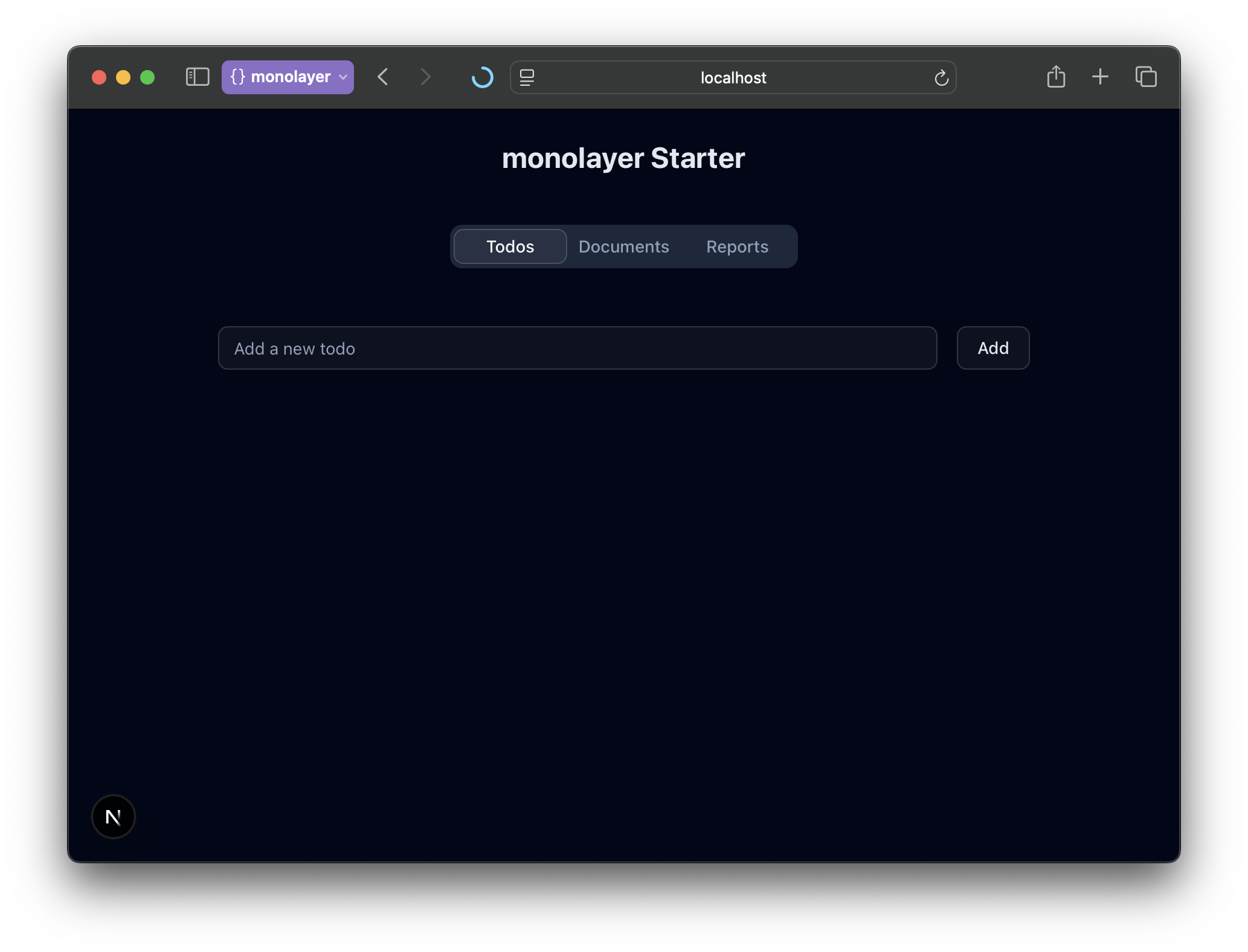
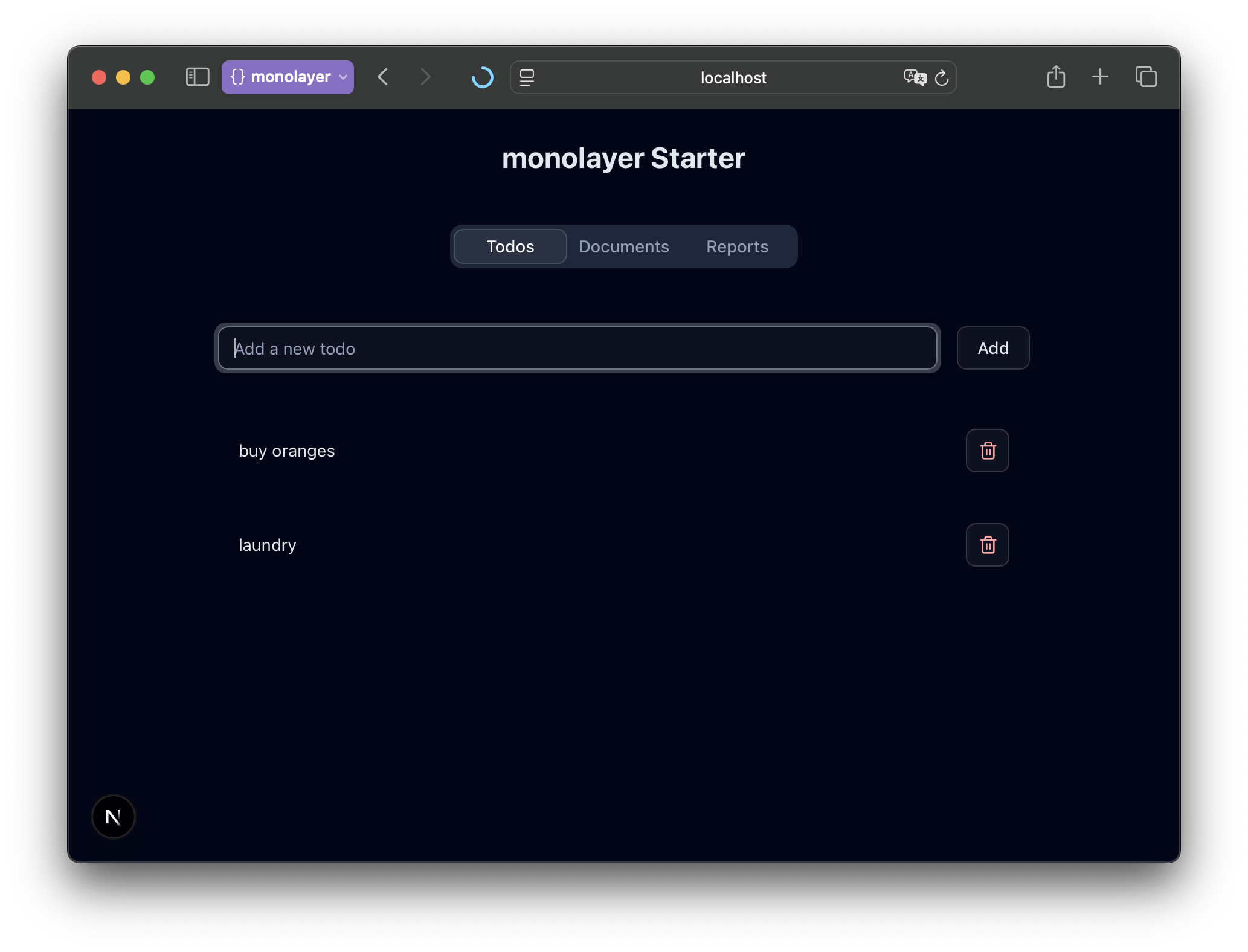
At this stage, the UI should display your list of todos (or an empty state if there are none yet) and the form to add new ones.
Building the Documents Feature
The next tab in our app is Documents — a lightweight document management view where users can upload, list, and delete files.
You'll build:
- A drop zone to upload files.
- A documents list showing each file.
- Download and delete actions for managing them.
Generate a bucket workload
The monolayer SDK lets you define storage bucket workloads right in your project. Run the following command to generate a new bucket workload, boilerplate helper code, and required dependencies.
npx monolayer add bucket --name documentsStart local environment for bucket
Run the following command to spin up a compatible S3 service on your local machine.
npx monolayer start devYou should see this:

Add Components and Server Actions
Next, you'll connect the bucket to the UI. We'll add a few server actions, and then build the React components that use them.
import documents from "@/workloads/documents";
import { paginateBucketItems } from "@/lib/bucket/paginate-bucket-items";
import { cache } from "react";

async function _allDocuments() {
	const items: { key: string }[] = [];
	for await (const item of paginateBucketItems(documents)) {
		if (item.Key)
			items.push({
				key: item.Key,
			});
	}
	return items;
}

export const allDocuments = cache(_allDocuments);"use server";
import { s3Client } from "@/lib/bucket/client";
import documents from "@/workloads/documents";
import { DeleteObjectCommand } from "@aws-sdk/client-s3";
import { revalidatePath } from "next/cache";
export async function deleteDocument(key: string) {
const command = new DeleteObjectCommand({
Bucket: documents.name,
Key: key,
});
await s3Client.send(command);
revalidatePath("/");
}"use server";
import { revalidatePath } from "next/cache";
export async function revalidate() {
revalidatePath("/");
}"use client";
import { Trash2 } from "lucide-react";
import { Button } from "../ui/button";
import type { BucketItem } from "./provider";
import { deleteDocument } from "@/actions/documents";
import { startTransition } from "react";
export function Delete({ item }: { item: BucketItem }) {
return (
<Button
size="icon-sm"
variant="outline"
aria-label="Delete document"
className="hover:cursor-pointer text-red-300 hover:text-red-400"
disabled={item.optimistic === true}
onClick={() => {
startTransition(async () => {
await deleteDocument(item.key);
});
}}
>
<Trash2 />
</Button>
);
}"use client";
import { useEffect, useRef, useState } from "react";
import { Button } from "../ui/button";
import { DownloadIcon } from "lucide-react";
import { presignedDownloadUrl } from "@/lib/bucket/presign";
import documents from "@/workloads/documents";
import type { BucketItem } from "./provider";
export function Download({ item }: { item: BucketItem }) {
const [href, setHref] = useState<string | undefined>(undefined);
const anchorRef = useRef<HTMLAnchorElement>(null);
useEffect(() => {
if (href && anchorRef.current) {
anchorRef.current.click();
}
}, [href, anchorRef]);
return (
<Button
size="icon-sm"
variant="outline"
aria-label="Download document"
className="hover:cursor-pointer"
disabled={item.optimistic}
asChild={!item.optimistic}
onClickCapture={async (event) => {
event.stopPropagation();
setHref(await presignedDownloadUrl(documents.name, item.key));
}}
>
<a href={href} ref={anchorRef} download={true}>
<DownloadIcon />
</a>
</Button>
);
}import { use } from "react";
import { DocumentsContext } from "./provider";
export function useDocuments() {
const context = use(DocumentsContext);
if (!context) {
throw new Error("useLogViewer must be used within a <DocumentsProvider />");
}
return {
documents: context.documents,
addOptimistic: context.addOptimistic,
};
}"use client";
import { Item, ItemActions, ItemContent } from "../ui/item";
import { Delete } from "./delete";
import { Download } from "./download";
import { useDocuments } from "./hooks";
export function Documents() {
const { documents } = useDocuments();
return (
<ul className="space-y-2">
{documents.map((document) => (
<Item asChild key={document.key}>
<li>
<ItemContent>
<span className="text-gray-200 text-sm line-clamp-1">
{document.key}
</span>
</ItemContent>
<ItemActions>
<Download item={document} />
<Delete item={document} />
</ItemActions>
</li>
</Item>
))}
</ul>
);
}"use client";
import { createContext, use, useOptimistic } from "react";
export type BucketItem = { key: string; optimistic?: boolean };
type OptimisticAction =
| { action: "add"; document: BucketItem }
| { action: "delete"; document: BucketItem };
export const DocumentsContext = createContext<{
documents: BucketItem[];
addOptimistic: (action: OptimisticAction) => void;
} | null>(null);
export default function DocumentsProvider({
children,
items: initial,
}: React.PropsWithChildren & { items: Promise<BucketItem[]> }) {
const [documents, addOptimistic] = useOptimistic(
use(initial),
(currentState: BucketItem[], action: OptimisticAction) => {
switch (action.action) {
case "add":
return currentState.concat({
...action.document,
optimistic: true,
});
case "delete":
return currentState.filter(
(todo) => todo.key !== action.document.key,
);
}
},
);
return (
<DocumentsContext
value={{
documents,
addOptimistic,
}}
>
{children}
</DocumentsContext>
);
}"use client";
import { Dropzone, DropzoneEmptyState } from "@/components/kibo-ui/dropzone";
import { useDocuments } from "./hooks";
import { startTransition } from "react";
import { uploadToBucket } from "@/lib/bucket/upload";
import documents from "@/workloads/documents";
import { revalidate } from "@/actions/revalidate";
export function Upload() {
const { addOptimistic } = useDocuments();
const upload = async (files: File[]) => {
startTransition(async () => {
try {
for (const file of files) {
addOptimistic({ action: "add", document: { key: file.name } });
await uploadToBucket({
bucketName: documents.name,
file,
key: file.name,
});
}
await revalidate();
} catch (e) {
console.error(e);
}
});
};
return (
<div className="py-5">
<Dropzone onDrop={upload} onError={console.error} className="py-5">
<DropzoneEmptyState />
</Dropzone>
</div>
);
}Show documents in home
Finally, connect the documents feature to the “Documents” tab in your app.
import { Documents } from "@/components/documents";
import DocumentsProvider from "@/components/documents/provider";
import { Upload } from "@/components/documents/upload";
import { AddTodo } from "@/components/todo-list/add";
import TodosProvider from "@/components/todo-list/provider";
import { Todos } from "@/components/todo-list/todos";
import { Tabs, TabsContent, TabsList, TabsTrigger } from "@/components/ui/tabs";
import { allDocuments } from "@/lib/documents";
import { allTodos } from "@/lib/todos";

export const dynamic = "force-dynamic";

export default function Home() {
	return (
		<TodosProvider todos={allTodos()}>
			<DocumentsProvider items={allDocuments()}>
				<main className="min-h-screen dark text-primary bg-slate-950 p-6">
					<div className="flex flex-col gap-10">
						<h1 className="text-2xl font-bold text-center">
							monolayer Starter
						</h1>
						<Tabs defaultValue="todos" className="items-center w-full">
							<TabsList className="w-2xs">
								<TabsTrigger value="todos">Todos</TabsTrigger>
								<TabsTrigger value="documents">Documents</TabsTrigger>
								<TabsTrigger value="reports">Reports</TabsTrigger>
							</TabsList>
							<TabsContent value="todos" className="w-full align-start">
								<div className="py-4 max-w-2xl mx-auto">
									<AddTodo />
									<Todos />
								</div>
							</TabsContent>
							<TabsContent value="documents" className="w-full align-start">
								<div className="py-4 max-w-2xl mx-auto">
									<Upload />
									<Documents />
								</div>
							</TabsContent>
							<TabsContent value="reports" className="w-full align-start">
								<div className="py-4 max-w-2xl mx-auto">
									Reports placeholder
								</div>
							</TabsContent>
						</Tabs>
					</div>
				</main>
			</DocumentsProvider>
		</TodosProvider>
	);
}
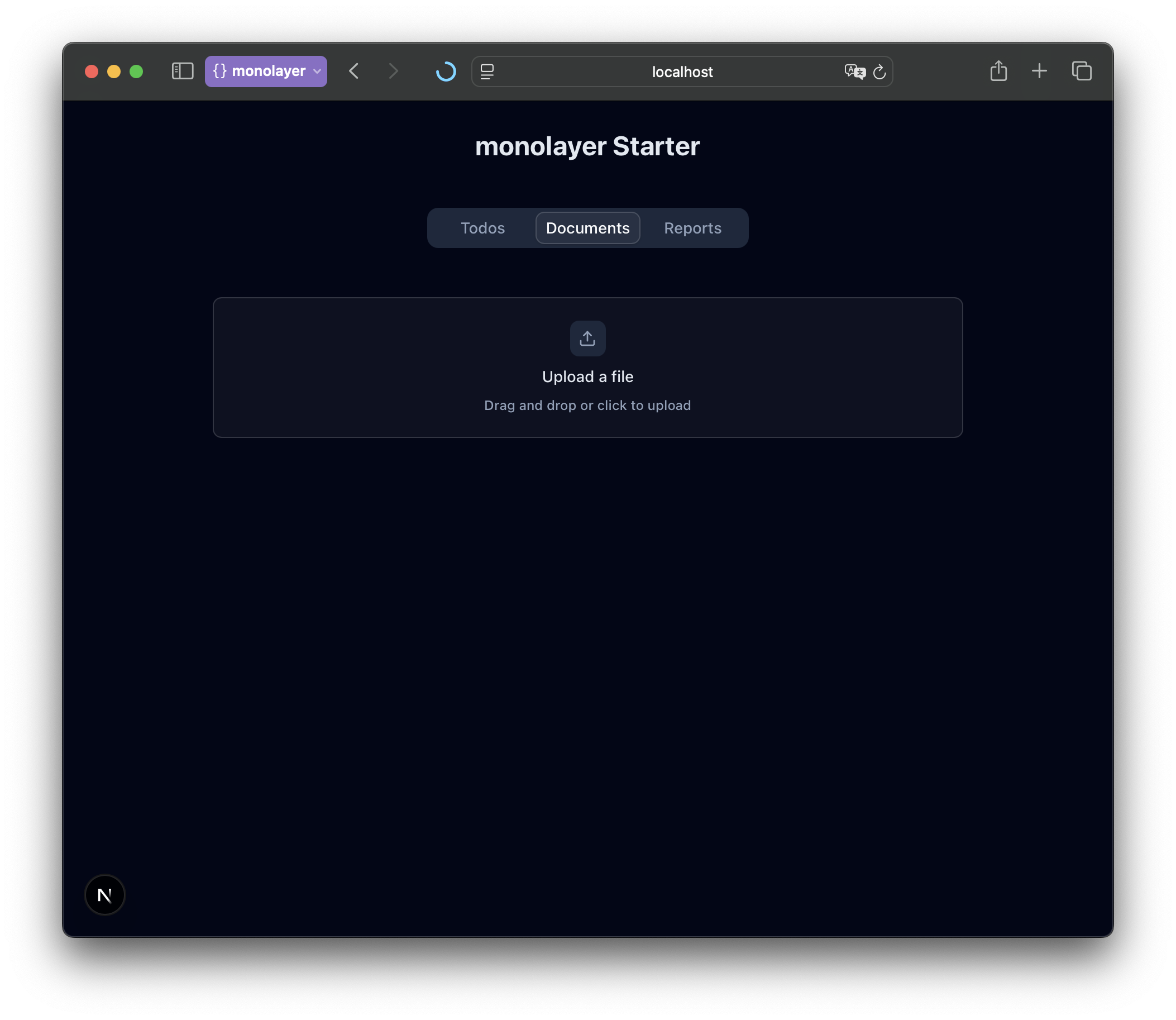
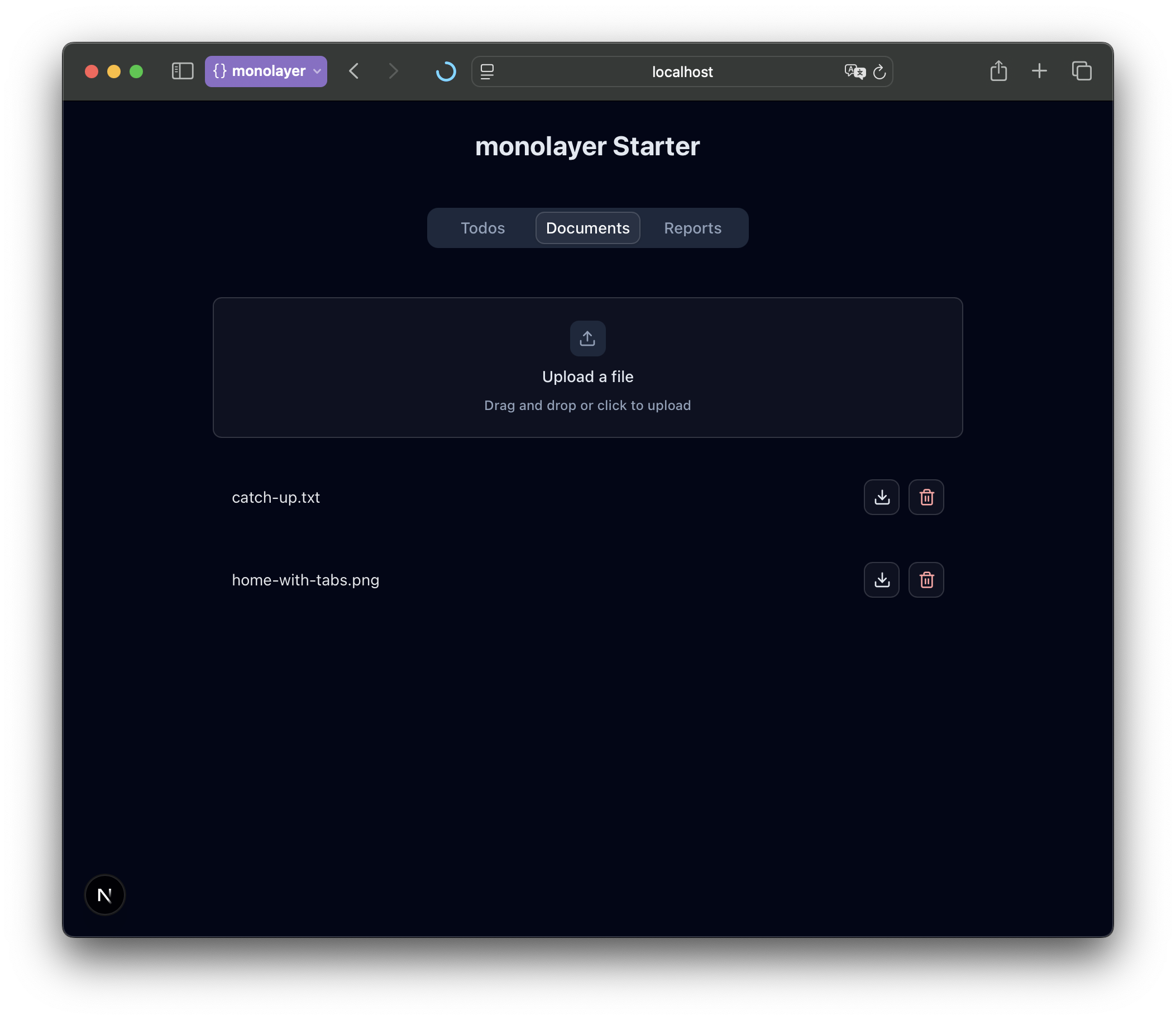
Now switch to the “Documents” tab in your running app — you should be able to upload, download, and delete documents locally.
Reports UI
The final tab, Reports, introduces a new workload type: a task — background code that runs independently of the web server.
The Reports tab will have a button that triggers a background task to generate a report, upload it, and make it appear in the Documents tab.
Generate a task workload
Let's start by defining a task workload, monolayer's abstraction for asynchronous background tasks.
npx monolayer add task --name upload-reportUpdate task code
Now, open workloads/upload-report.ts and replace the contents with:
import { PutObjectCommand } from "@aws-sdk/client-s3";
import { Task } from "@monolayer/sdk";
import documents from "./documents";
import { publisher } from "@/lib/broadcast/publisher";
import { s3Client } from "@/lib/bucket/client";

export type UploadReportData = {
	message: string;
	report: { message: string };
};

const uploadReport = new Task<UploadReportData>(
	"upload-report",
	async ({ data }) => {
		console.log("message", data.message);
		const key = `Report-${new Date().toISOString()}`;
		const command = new PutObjectCommand({
			Bucket: documents.name,
			Key: key,
			Body: Buffer.from(data.report.message),
		});
		await s3Client.send(command);
	},
);

export default uploadReport;
Add components and actions
"use server";

import uploadReport from "@/workloads/upload-report";

export async function generateReport() {
	await uploadReport.performLater({ report: { message: "hello" } });
	return true;
}"use client";
import { generateReport } from "@/actions/generate-report";
import { Button } from "./ui/button";
export function GenerateReport() {
return (
<Button
variant="default"
className="hover:cursor-pointer"
onClick={generateReport}
>
Generate Report
</Button>
);
}Show Generate Report in home
Finally, connect your report button to the Reports tab in your app's main page.
import { Documents } from "@/components/documents";
import DocumentsProvider from "@/components/documents/provider";
import { Upload } from "@/components/documents/upload";
import { GenerateReport } from "@/components/generate-report";
import { AddTodo } from "@/components/todo-list/add";
import TodosProvider from "@/components/todo-list/provider";
import { Todos } from "@/components/todo-list/todos";
import { Tabs, TabsContent, TabsList, TabsTrigger } from "@/components/ui/tabs";
import { allDocuments } from "@/lib/documents";
import { allTodos } from "@/lib/todos";

export const dynamic = "force-dynamic";

export default function Home() {
	return (
		<TodosProvider todos={allTodos()}>
			<DocumentsProvider items={allDocuments()}>
				<main className="min-h-screen dark text-primary bg-slate-950 p-6">
					<div className="flex flex-col gap-10">
						<h1 className="text-2xl font-bold text-center">
							monolayer Starter
						</h1>
						<Tabs defaultValue="todos" className="items-center w-full">
							<TabsList className="w-2xs">
								<TabsTrigger value="todos">Todos</TabsTrigger>
								<TabsTrigger value="documents">Documents</TabsTrigger>
								<TabsTrigger value="reports">Reports</TabsTrigger>
							</TabsList>
							<TabsContent value="todos" className="w-full align-start">
								<div className="py-4 max-w-2xl mx-auto">
									<AddTodo />
									<Todos />
								</div>
							</TabsContent>
							<TabsContent value="documents" className="w-full align-start">
								<div className="py-4 max-w-2xl mx-auto">
									<Upload />
									<Documents />
								</div>
							</TabsContent>
							<TabsContent value="reports" className="w-full align-start">
								<div className="py-4 max-w-2xl mx-auto">
									<GenerateReport />
								</div>
							</TabsContent>
						</Tabs>
					</div>
				</main>
			</DocumentsProvider>
		</TodosProvider>
	);
}
Now, open your app and click Generate Report.
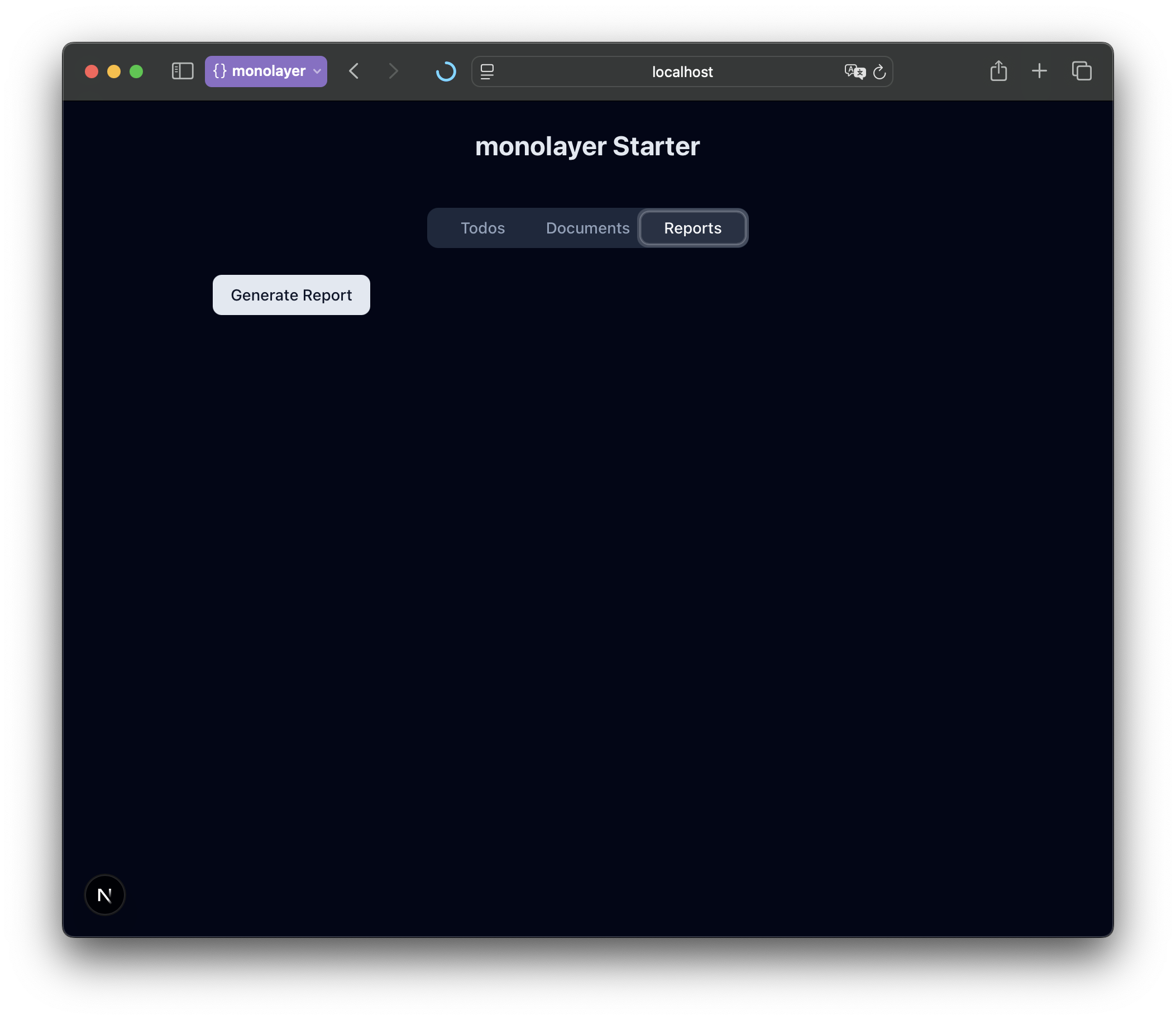
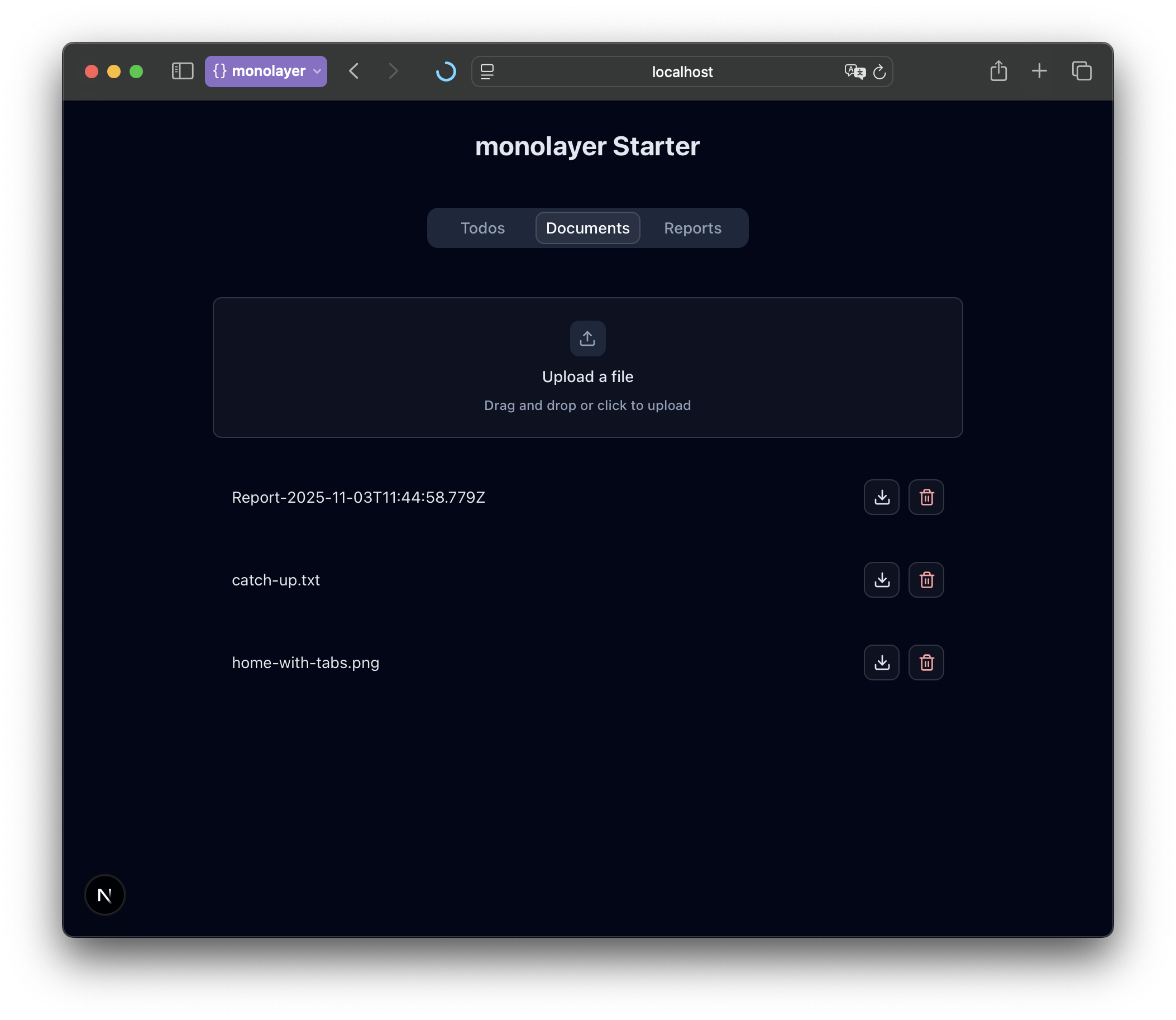
After a few seconds, refresh the Documents tab — you'll see a new file listed, automatically uploaded by the background task.
Sending Realtime Updates
Up until now, all the changes you've made in the backend — adding todos, uploading documents, generating reports — have been one-way or limited to the same client. For some features and other clients we need to manually refresh the page to see the updates.
Wouldn't it be nice if new documents just appeared as soon as someone uploaded them? Or if todos synced instantly across open tabs?
In this section, we'll make the app truly live.
Add broadcast workload
A broadcast workload acts as the real-time hub for your app — a WebSocket service that clients can subscribe to for updates.
Generate one with:
npx monolayer add broadcastDefine channels
Channels are logical topics clients can subscribe to and publish events through. You can think of them as rooms in a chat app — each one handles a separate stream of updates.
Change the contents of workloads/broadcast.ts:
import type { Todos } from "@/lib/prisma/generated/client";
import { Broadcast, ChannelData } from "@monolayer/sdk";

export type TodosChannelData =
	| { action: "add"; todo: Todos }
	| { action: "delete"; todoId: string };

export type DocumentsChannelData =
	| { action: "add"; document: { key: string } }
	| { action: "delete"; document: { key: string } };

const broadcast = new Broadcast({
	channels: {
		"/todos": {
			data: new ChannelData<TodosChannelData>(),
		},
		"/documents": {
			data: new ChannelData<DocumentsChannelData>(),
		},
	},
});

export default broadcast;

export type Channels = typeof broadcast._channelDataType;
Publish and subscribe to channels (Documents)
Let's make the Documents tab update live when a new file is uploaded or deleted.
"use server";

import { publisher } from "@/lib/broadcast/publisher";
import { s3Client } from "@/lib/bucket/client";
import documents from "@/workloads/documents";
import { DeleteObjectCommand } from "@aws-sdk/client-s3";
import { revalidatePath } from "next/cache";

export async function deleteDocument(key: string) {
	const command = new DeleteObjectCommand({
		Bucket: documents.name,
		Key: key,
	});
	await s3Client.send(command);
	await publisher.publishTo("/documents", {}, [
		{ action: "delete", document: { key } },
	]);
	revalidatePath("/");
}
export async function publishAddDocument(key: string) {
	await publisher.publishTo("/documents", {}, [
		{ action: "add", document: { key } },
	]);
} "use client";
import { useChannelSubscription } from "@/lib/broadcast/client";
import type { DocumentsChannelData } from "@/workloads/broadcast";
import { createContext, use, useOptimistic } from "react";
export type BucketItem = { key: string; optimistic?: boolean };
type OptimisticAction =
| { action: "add"; document: BucketItem }
| { action: "delete"; document: BucketItem };
export const DocumentsContext = createContext<{
documents: BucketItem[];
addOptimistic: (action: OptimisticAction) => void;
subscriptionDocuments: DocumentsChannelData[];
} | null>(null);
export default function DocumentsProvider({
children,
items: initial,
}: React.PropsWithChildren & { items: Promise<BucketItem[]> }) {
const { all: subscriptionDocuments } = useChannelSubscription(
"/documents",
{},
);
const [documents, addOptimistic] = useOptimistic(
use(initial),
(currentState: BucketItem[], action: OptimisticAction) => {
switch (action.action) {
case "add":
return currentState.concat({
...action.document,
optimistic: true,
});
case "delete":
return currentState.filter(
(todo) => todo.key !== action.document.key,
);
}
},
);
return (
<DocumentsContext
value={{
documents,
addOptimistic,
subscriptionDocuments: subscriptionDocuments,
}}
>
{children}
</DocumentsContext>
);
}import { use } from "react";
import { DocumentsContext, type BucketItem } from "./provider";
import type { DocumentsChannelData } from "@/workloads/broadcast";
export function useDocuments() {
const context = use(DocumentsContext);
if (!context) {
throw new Error("useLogViewer must be used within a <DocumentsProvider />");
}
return {
documents: combineDocuments(
context.documents,
context.subscriptionDocuments,
),
addOptimistic: context.addOptimistic,
};
}
function combineDocuments(
items: BucketItem[],
subscriptionDocuments: DocumentsChannelData[],
) {
const deduplicatedItems = Object.values(
subscriptionDocuments.reduce<Record<string, DocumentsChannelData>>(
(acc, val) => {
acc[val.document.key] = val;
return acc;
},
{},
),
);
const subscriptionKeys = deduplicatedItems.map((item) => item.document.key);
return (
items
.filter((item) => !subscriptionKeys.includes(item.key))
.concat(
deduplicatedItems
.filter((item) => item.action === "add")
.map((item) => item.document),
)
);
} "use client";
import { Dropzone, DropzoneEmptyState } from "@/components/kibo-ui/dropzone";
import { useDocuments } from "./hooks";
import { startTransition } from "react";
import { uploadToBucket } from "@/lib/bucket/upload";
import documents from "@/workloads/documents";
import { revalidate } from "@/actions/revalidate";
import { publishAddDocument } from "@/actions/documents";
export function Upload() {
const { addOptimistic } = useDocuments();
const upload = async (files: File[]) => {
startTransition(async () => {
try {
for (const file of files) {
addOptimistic({ action: "add", document: { key: file.name } });
await uploadToBucket({
bucketName: documents.name,
file,
key: file.name,
});
await publishAddDocument(file.name);
}
await revalidate();
} catch (e) {
console.error(e);
}
});
};
return (
<div className="py-5">
<Dropzone onDrop={upload} onError={console.error}>
<DropzoneEmptyState />
</Dropzone>
</div>
);
}Publish and Subscribe to channels (Todos)
We can do the same for the Todos list.
"use server";

import { publisher } from "@/lib/broadcast/publisher";
import prisma from "@/lib/prisma/prisma";
import { revalidatePath } from "next/cache";

export type AddTodoState = {
	input: string;
	error?: string;
};

export async function addTodo(
	_: unknown,
	formData: FormData,
): Promise<AddTodoState> {
	const text = formData.get("todo") as string | undefined;

	if (text?.trim()) {
		const todo = await prisma.todos.create({
			data: { text, id: formData.get("optimisticId")?.toString() ?? undefined },
		});
		revalidatePath("/");
		await publisher.publishTo("/todos", {}, [{ action: "add", todo }]);
		return { input: "", error: undefined };
	}

	return {
		error: "Todo cannot be empty",
		input: text ?? "",
	};
}

export type DeleteTodoState = {
	error?: string;
	success?: boolean;
};

export async function deleteTodo(formData: FormData): Promise<DeleteTodoState> {
	const todoId = formData.get("todoId") as string | undefined;

	if (todoId) {
		try {
			await prisma.todos.delete({ where: { id: todoId } });
			revalidatePath("/");
			await publisher.publishTo("/todos", {}, [
				{ action: "delete", todoId: todoId },
			]);
			return { success: true };
		} catch {
			return { success: false, error: "Could not delete todo" };
		}
	}
	return { success: false, error: "Could not delete todo" };
}"use client";
import { useChannelSubscription } from "@/lib/broadcast/client";
import type { Todos } from "@/lib/prisma/generated/client";
import type { TodosChannelData } from "@/workloads/broadcast";
import { createContext, use, useOptimistic } from "react";
type OptimisticAction =
| { kind: "add"; todo: Todos }
| { kind: "remove"; todoId: Todos["id"] };
export const TodosContext = createContext<{
todos: Todos[];
addOptimistic: (action: OptimisticAction) => void;
subscriptionTodos: TodosChannelData[];
} | null>(null);
export default function TodosProvider({
children,
todos: initial,
}: React.PropsWithChildren & { todos: Promise<Todos[]> }) {
const { all: subscriptionTodos } = useChannelSubscription("/todos", {});
const [todos, addOptimistic] = useOptimistic(
use(initial),
(currentState: Todos[], action: OptimisticAction) => {
switch (action.kind) {
case "add":
return currentState.concat(action.todo);
case "remove":
return currentState.filter((todo) => todo.id !== action.todoId);
}
},
);
return (
<TodosContext
value={{
todos,
addOptimistic,
subscriptionTodos,
}}
>
{children}
</TodosContext>
);
}import { TodosContext } from "./provider";
import { toast } from "sonner";
import { addTodo, deleteTodo, type AddTodoState } from "@/actions/todos";
import { use, useActionState } from "react";
import { v4 } from "uuid";
import type { Todos } from "@/lib/prisma/generated/client";
import type { TodosChannelData } from "@/workloads/broadcast";
export function useTodos() {
const context = use(TodosContext);
if (!context) {
throw new Error("useLogViewer must be used within a <TodosProvider />");
}
return {
todos: combineTodos(context.todos, context.subscriptionTodos),
addOptimistic: context.addOptimistic,
};
}
export function useAddTodoActionState() {
const { addOptimistic } = useTodos();
const add = async (_: unknown, formData: FormData): Promise<AddTodoState> => {
const todo = formData.get("todo")?.toString();
const optimisticId = v4();
if (todo) {
const now = new Date();
addOptimistic({
kind: "add",
todo: {
id: optimisticId,
text: todo,
createdAt: now,
updatedAt: now,
},
});
}
formData.set("optimisticId", optimisticId);
return addTodo(_, formData);
};
return useActionState(add, {
input: "",
});
}
export function useDeleteTodoAction(todo: Todos) {
const { addOptimistic } = useTodos();
return async (form: FormData) => {
addOptimistic({ kind: "remove", todoId: todo.id });
const response = await deleteTodo(form);
if (response.error) toast.error(response.error);
};
}
function combineTodos(todos: Todos[], subscriptionItems: TodosChannelData[]) {
const deduplicatedItems = Object.values(
subscriptionItems.reduce<Record<string, TodosChannelData>>((acc, val) => {
const id = val.action === "add" ? val.todo.id : val.todoId;
acc[id] = val;
return acc;
}, {}),
);
const subscriptionIds = deduplicatedItems.map(
(item) => (item.action === "add" ? item.todo.id : item.todoId),
);
return (
todos
.filter((todo) => !subscriptionIds.includes(todo.id))
.concat(
deduplicatedItems
.filter((item) => item.action === "add")
.map((item) => item.todo),
)
.sort((a, b) => {
return (
new Date(a.createdAt).getTime() - new Date(b.createdAt).getTime()
);
})
);
} import { PutObjectCommand } from "@aws-sdk/client-s3";
import { Task } from "@monolayer/sdk";
import documents from "./documents";
import { publisher } from "@/lib/broadcast/publisher";
import { s3Client } from "@/lib/bucket/client";
export type UploadReportData = {
report: { message: string };
};
const uploadReport = new Task<UploadReportData>(
"generate-report",
async ({ data }) => {
const key = `Report-${new Date().toISOString()}`;
const command = new PutObjectCommand({
Bucket: documents.name,
Key: key,
Body: Buffer.from(data.report.message),
});
await s3Client.send(command);
await publisher.publishTo("/documents", {}, [
{ action: "add", document: { key } },
]);
},
);
export default uploadReport;import type { Metadata } from "next";
import { Geist, Geist_Mono } from "next/font/google";
import "./globals.css";
import { Toaster } from "@/components/ui/sonner";
import { BroadcastProvider } from "@monolayer/sdk";
const geistSans = Geist({
variable: "--font-geist-sans",
subsets: ["latin"],
});
const geistMono = Geist_Mono({
variable: "--font-geist-mono",
subsets: ["latin"],
});
export const metadata: Metadata = {
title: "Create Next App",
description: "Generated by create next app",
};
export default function RootLayout({
children,
}: Readonly<{
children: React.ReactNode;
}>) {
return (
<html lang="en">
<body
className={`${geistSans.variable} ${geistMono.variable} antialiased`}
>
<BroadcastProvider>{children}</BroadcastProvider> // [!code ++]
<Toaster theme="dark" position="top-right" />
</body>
</html>
);
}Start the development environment for broadcast
Finally, start your local development environment so the broadcast system runs:
npx monolayer start dev
Open two browser windows side by side. Navigate to your app in both and try uploading a document or adding a todo.
You'll see updates appear instantly in both — no reloads needed.
Configuring Lifecycle Processes
Define lifecycle processes in a root Procfile to run database deployment commands during environment setup and application rollouts.
For this application, use bootstrap to deploy the database when monolayer creates an environment and beforeRollout to deploy it before each new version goes live.
bootstrap: npm run db:deploy
beforeRollout: npm run db:deploy
Place the Procfile at the application root and use the exact file name shown. monolayer runs bootstrap once for each new environment and runs beforeRollout during every deployment.
For additional lifecycle process names and behavior, see Procfile lifecycle processes.